Remember Winamp? Remember MilkDrop?
Let your coding agent mesmerise you.
Turbella plays your coding agents' tool calls, failures and permission waits through MilkDrop
presets, with a gauge for when one is stuck. It runs on your Mac, with no account, no server and no telemetry.
A visualiser driven by your agent
Every event becomes sound for the picture, though nothing plays aloud. A tool call is a pluck, a failure is a
bass hit, thinking is a slow swell and a permission wait is a held note. The turbulence gauge, from 0 calm to 1
stuck, adds noise and wobble as the agent gets stuck. A readout says what each agent is doing and for how long.
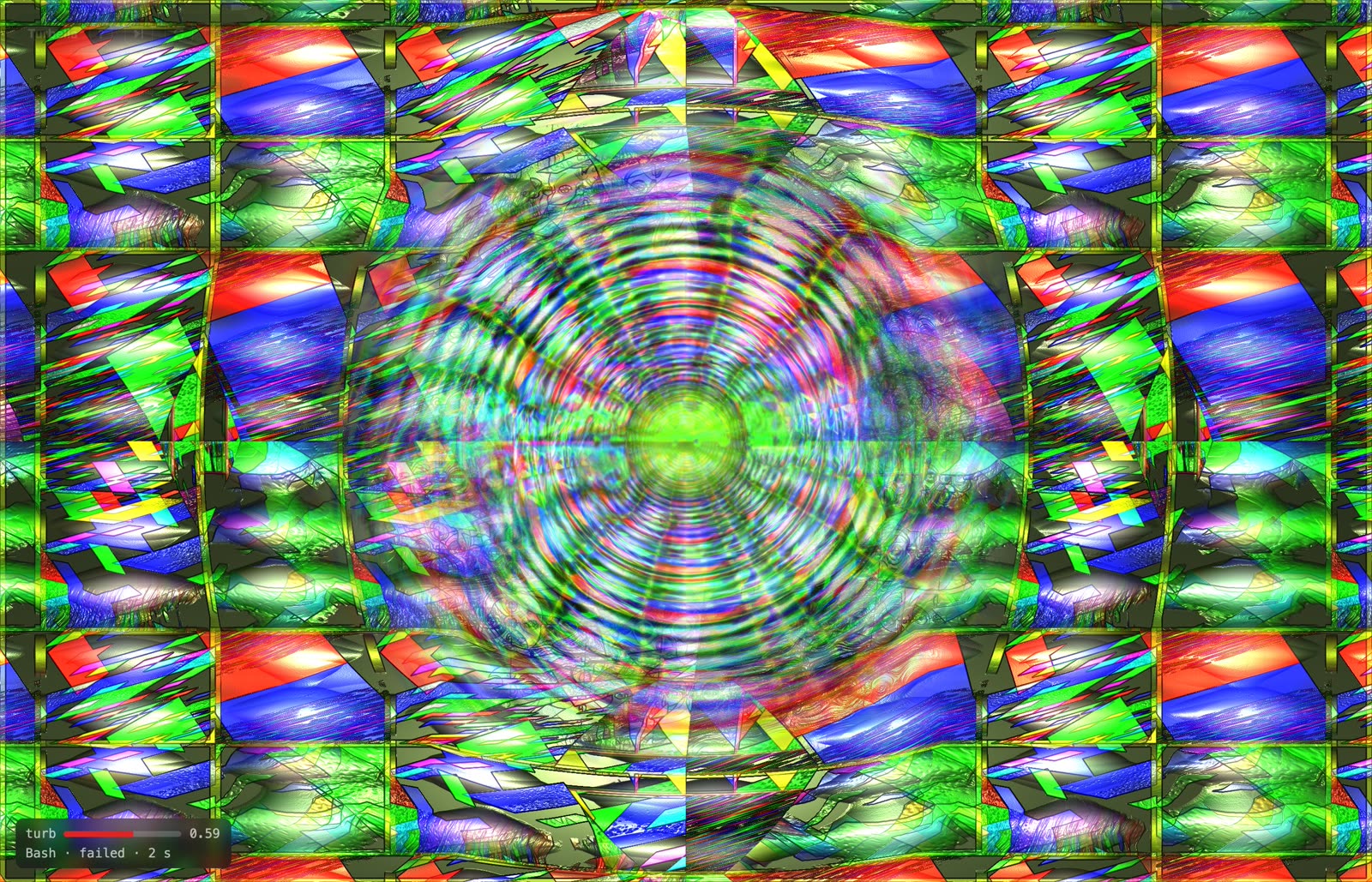 The visualiser at
 /viz, one session, with its gauge and status.
Six looks
Each clip is a different MilkDrop preset, recorded from the real visualiser at real speed while a scripted
session reads, edits and fails twice. The readout at the bottom left shows the gauge and the current action.
-
Mirror · Aderrasi - Potion of Spirits
-
Canyon · Flexi + Martin - cascading decay swing
-
Ribbons · Krash + Illusion - Spiral Movement
-
Spiral · Rovastar - Oozing Resistance
-
Vortex · Milk Artist At our Best - FED - SlowFast Ft AdamFX n Martin - HD CosmoFX
-
Lattice · Unchained - Rewop
The plain record
The timeline shows one lane per agent session. Each tool call is a tick, dark for edits and grey for the rest.
- A failure is a red spike; the same failure again gets a repeat mark.
- A permission wait is amber.
- Thinking is a violet dot, larger for longer.
- The silence since the last event is shaded while live.
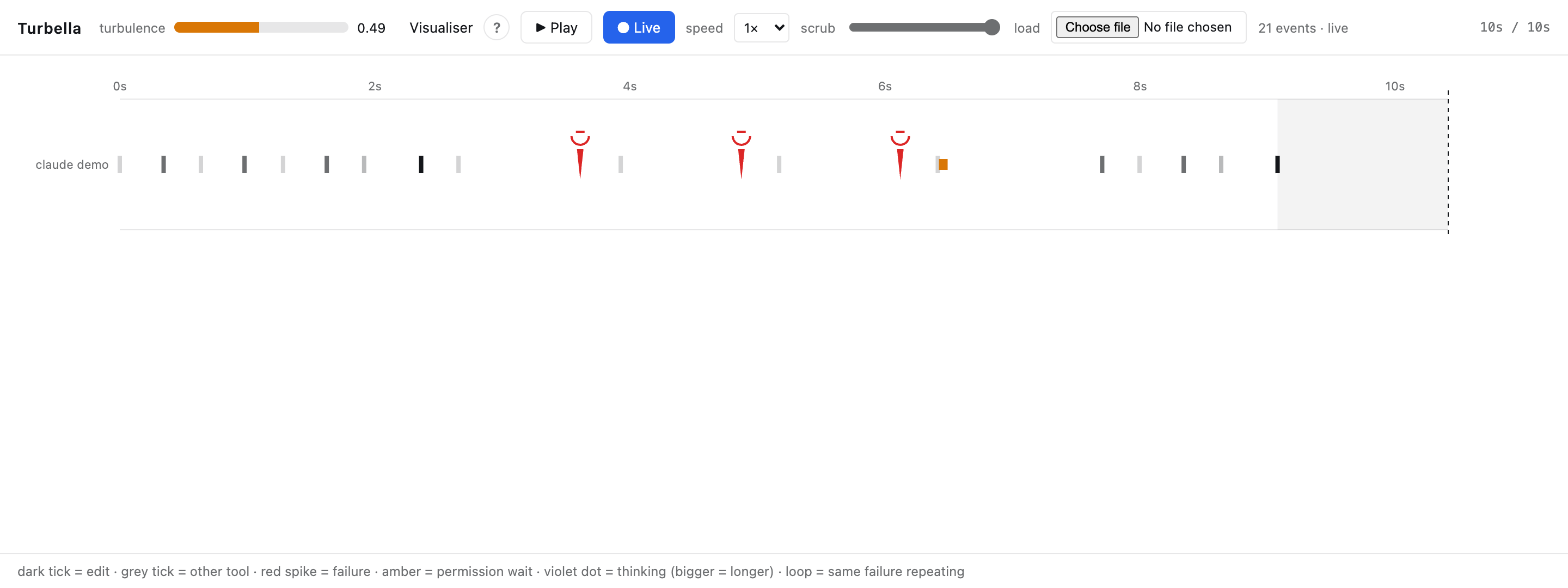 The same test failing three times, then a permission wait.
Beside your agents (macOS)
turbella overlay opens a small always-on-top window for each agent session, each with its own
picture, gauge and current action. turbella run <agent> runs any terminal agent with its own
gauge pinned to the terminal's top row.
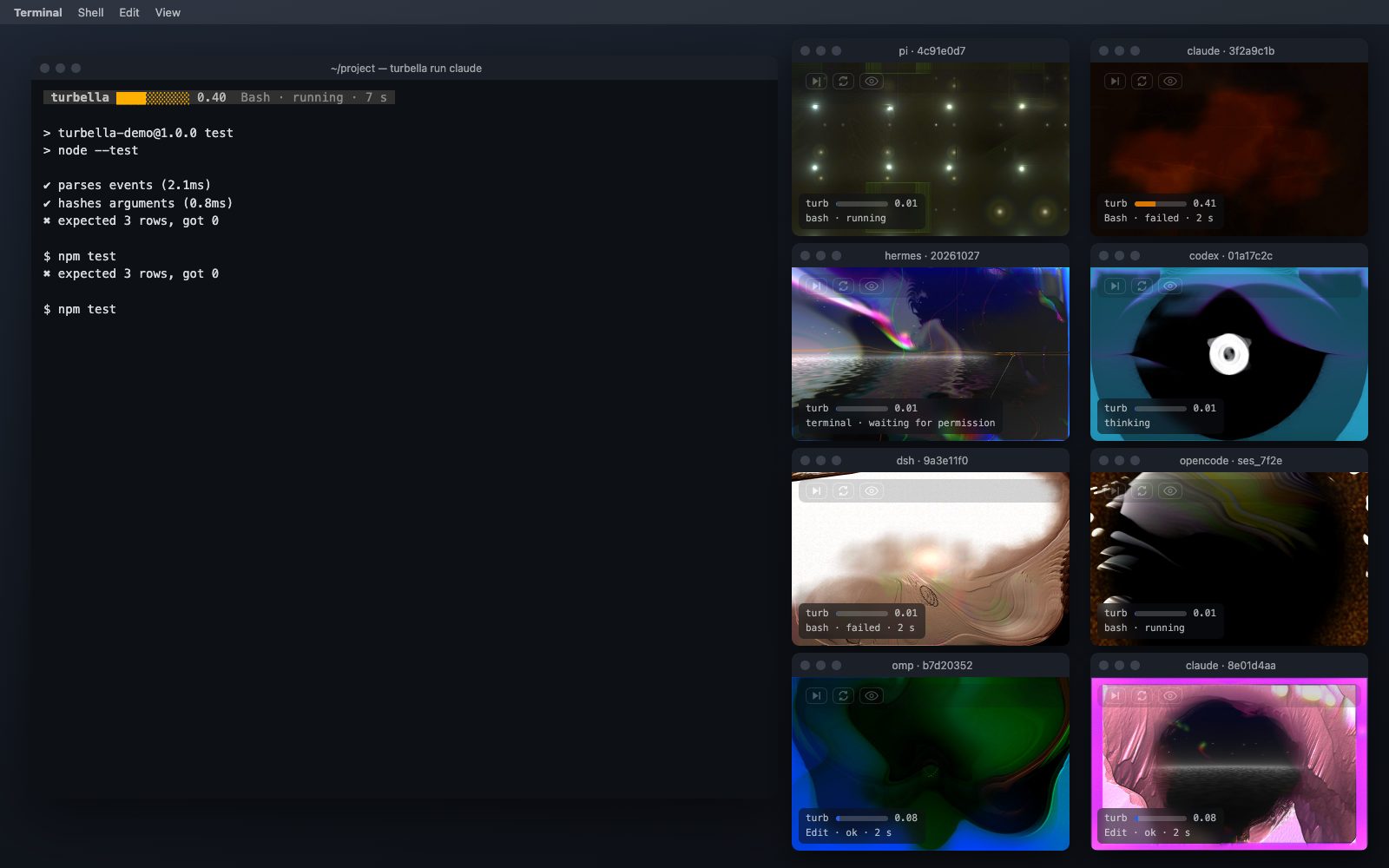 Window frames composed around real renders of eight demo sessions.
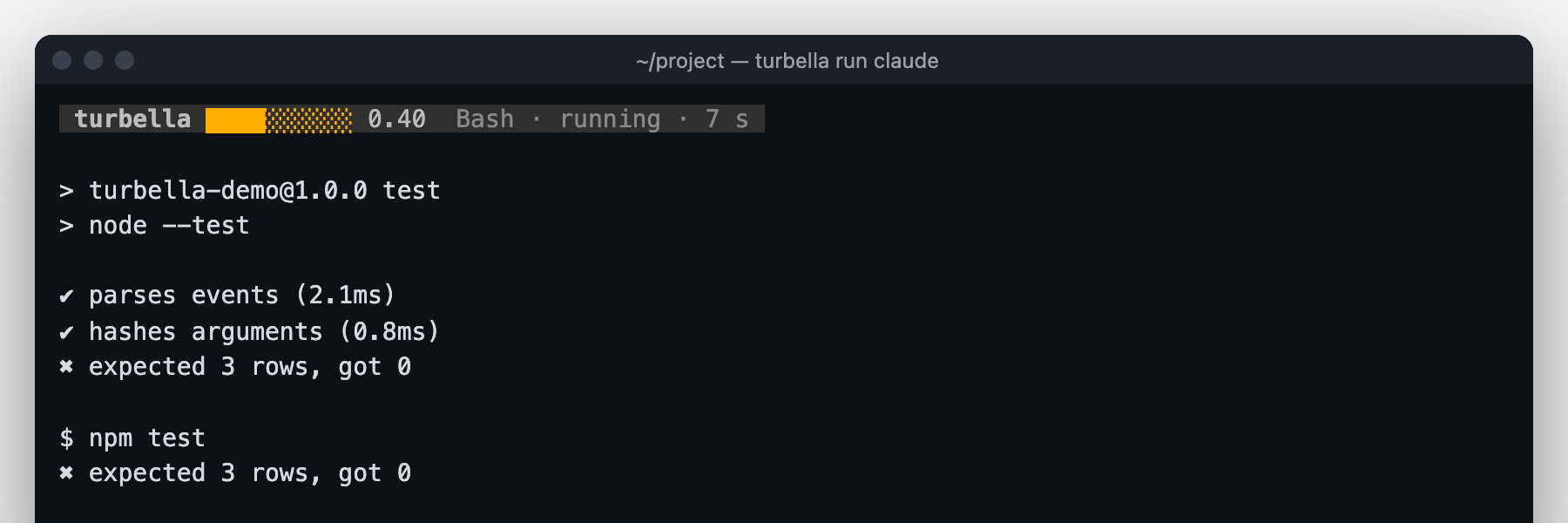 The strip on the terminal's top row.
Works with the agents you use
- Claude Code
- Codex
- Copilot CLI
- Cursor
- Hermes
- opencode
- pi
- omp
- dsh
Any other app can send events and read the gauge; docs/PLUGINS.md is the contract.
What leaves your machine
Nothing. Events carry tool names, statuses, durations and SHA-256 hashes. Prompts, file contents, tool output,
error text and thinking text never leave the hook. The daemon listens on a Unix socket and on 127.0.0.1 only.
Install
You need a Mac with Node.js 22 or later. Linux and Windows are not supported yet.
Claude Code: two commands
- In a terminal, add the plugin and install it:
claude plugin marketplace add NakliTechie/turbella
claude plugin install turbella@turbella
- Start a new Claude Code session. The visualiser opens in your browser at
http://127.0.0.1:7377/viz within 5 seconds of the agent's first action.
Other agents: get the turbella command first
- Clone the repository and put the command on your PATH:
git clone https://github.com/NakliTechie/turbella
cd turbella
npm link
- Set up your agent, then restart it:
| Agent | Run | What it does |
|---|
| Cursor, opencode, pi, omp | turbella install cursor (or opencode, pi, omp) | Writes Turbella's hook or plugin file into the agent's settings folder. |
| Copilot CLI | copilot plugin install NakliTechie/turbella | Installs the same plugin Claude Code uses. |
| Codex | turbella install codex | Prints the two codex plugin commands to run; then trust the hooks with /hooks in Codex. |
| Hermes | turbella install hermes | Prints a hooks: block to paste into ~/.hermes/config.yaml; approve the hooks when Hermes next starts. |
| dsh | turbella install dsh | Prints the dsh plugin add command for each profile. |
- Open
http://127.0.0.1:7377/viz, or run turbella open.
On a Mac, beside your agents
turbella overlay        # a floating window per agent session
turbella run claude     # any agent, with its gauge on the terminal's top row
To check it is running: turbella status prints the event count and the gauge. The
guide explains every mark on screen.